
How to Use the Heating System
-
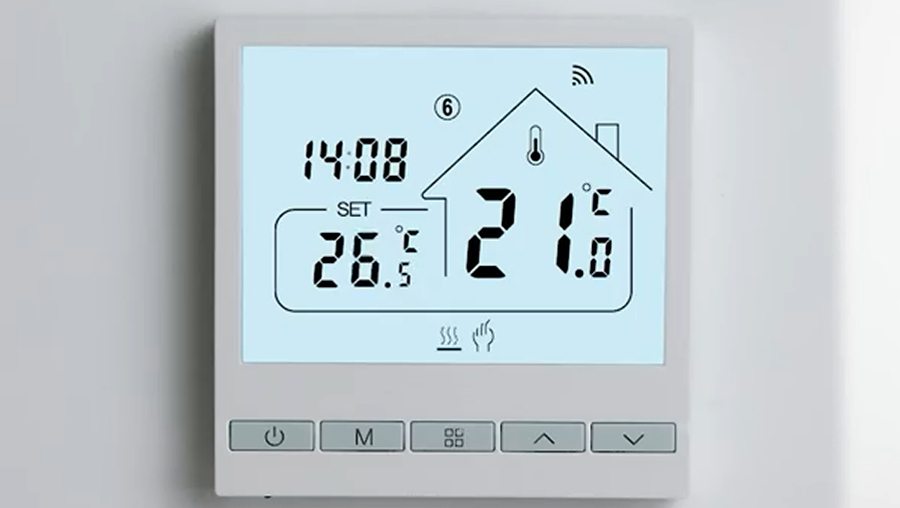
On the right side of the display (inside the house icon) you can see the current room temperature, while on the left under SET you see the selected temperature.
-
Before adjusting, check that the hand symbol is visible at the bottom of the screen.
-
If the hand symbol is not shown, press the M button until it appears.
-
Use the up and down arrows to set the desired temperature. The maximum temperature is 22°C, and the thermostat cannot go higher.
-
Once set, the heating will automatically work until the room reaches the selected temperature. For best comfort, we recommend keeping it between 20–22°C.